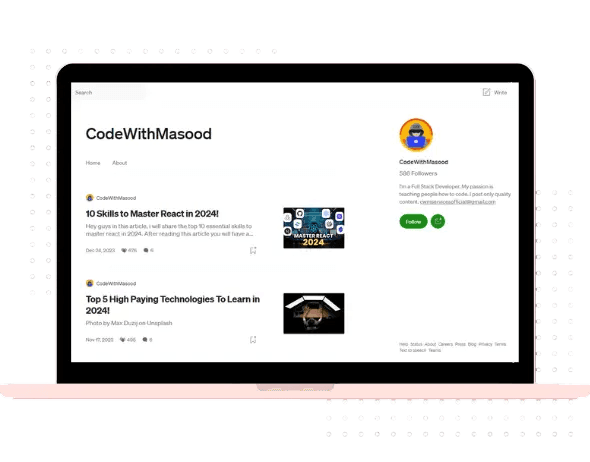
CodeWithMasood on Medium
Our Medium blog has over 700+ followers and quality programming and web development posts along with guides and tech insights.
VIEW MEDIUM BLOGPopular Medium Posts
Visit CodeWithMasood Medium Blog for many more

The Master Coding Blueprint: Every Beginner Should Know This…
A lot of people these days often ask me that AI can replace programmers and there is no need for developers anymore, but the reality is totally opposite. In fact have you ever guessed, who are getting real benefit from this AI hype? yes, the answer is software engineers, application developers, data scientists and other techy people, who have real experience and solid foundations in the tech industry. In this story, we are focused in finding your programming niche based on your interest and goals and I’ll show you the exact roadmap I’d follow if I were starting programming from scratch in 2026! Along with that, we are also going to discuss the average salary packages for different roles in programming. Plus we will also talk about some important industry secrets that can help us get hired faster. And along with that, we will also discuss how we can adopt AI and become a more successful programmer. So let’s get started! As artificial intelligence, cloud computing and AI agents have taken the digital world by storm, programming has become one of the most valuable technical skills anyone can learn. It is the code and Algorithm that is behind all the software, websites and apps we use and interact everyday, whether it’s amazon, Instagram or YouTube. The average salary for a software engineer is $134,524 per year in the United States according to indeed. Whereas, the average salary for a data scientist is $130,830 per year in the United States according to indeed. What is Programming ? And why it is so Important ? Imagine if you want to explain something to another person, what you need for that ? A mutual understandable language is important. A computer works in a very similar way, we need a language to talk to computers and the language that computers understand is binary(0 | 1)! Now, thankfully we don’t need to code in machine language as the problem here is solved by high level languages that we have today like python and JavaScript, they have syntax but it is easier to learn as rest of it looks like plain English somehow, but under the hood it is compiling back to same machine language aka binary that computer understands. And here you can take the analogy back to how humans have different languages i.e Spanish, English, German etc. But the end goal is same that we want to explain a common thing to another person, the language is just the middleware between us, same is the case with computers. JavaScript, Python, Rust, C++ and Java are all computer languages, but the end goal is same to build computer programs aka applications to automate real life systems and solving problems. So, in a nutshell, the job of a programmer is simple! Solving problems using code and technology. And in terms of programming languages, there is no single “best” programming language. In fact, every language has its own purpose, its own use case according to which it is used. Now, before we go ahead into programming and how to get started with it, let’s learn another important concept here, What is an Algorithm ? Suppose you search a contact number on your phone, you go to search bar and type the name of the person you want to search, and once you type his name, the contact appears. It seems like a magic as it works pretty fast but the thing that makes it happen is nothing more but an algorithm. I guess it is a binary search algorithm. Also, when you are shopping on amazon you see the recommended items, which attracts you, this is also a recommendation algorithm and this is also common on social media platforms where you see a personalized feed which is tailored to you based on your interactions. This is all code aka algorithm. So, an algorithm is nothing but a code planned in a step by step manner to solve a particular problem. Even the ChatGPT and other AI models are written with algorithms that helps them learn, create and act. To get into coding, the first step is to learn a programming language! And learning a programming language is almost mandatory in almost all the relevant fields of coding. And that’s why i have put this as first global heading before i talk about the other roles. Learn a Programming Language If we want to build a good career in tech, over the years we will be learning multiple programming languages. But our start in coding happens by learning one programming language. And if we build a really strong grip on this one programming language, learning other languages will become much easier. Now, which one programming language we should start with depends on which career path we choose. In programming, we have multiple career options, which we can think of like specializations, just as we have different types of doctors, similarly in programming we have different specializations, where we do different kinds of work, and depending on that, it’s decided which programming language we should start with. So let’s talk about some of the popular career paths out there. We will look into this further in the next section of software engineering career, which is the most classic and one of the most popular field in programming. Software Engineering The first path that the majority of CS students go for is software engineering, and this is where the majority of companies come to hire. For example, if we’ve heard about big tech companies like Microsoft, Google, Amazon, they also come to hire for software engineering positions. What do software engineers do? This is basically a group of people who build software, build websites and build applications in the industry. They basically build products. For example, we’ve seen a lot of tech-based products around us such as, Spotify, YouTube, Instagram, Netflix, GitHub etc. These are all products built by software engineers. Now, for software engineering jobs, the majority of companies expect two things from us “DSA and Development”. DSA So, after learning a programming language, the next step for us is to get our hands dirty with DSA, Data Structures and Algorithm is what that helps us build good logic and solve real-world problems, it is derived from 2 words Data Structure and Algorithm. Let’s understand each of them in a little detail! Data Structure: It refers to Arrays, Maps, Lists and Sets in a language Algorithms: An algorithm is a code and the step by step way to solve a problem. The common algorithms are categorized as searching algorithms and sorting algorithms. In a nutshell, Data Structure and Algorithm is nothing but coding questions that we need to solve within a limited time. For DSA, we have two major programming languages, either of which we can build a good grip on, either we can go for Java or we can go for C++. On CodeWithMasood, we have beginner series where i have covered both of these languages through which you can learn at least the basics and then start DSA. Development The second important thing we need to master in software engineering is development, because the majority of the work that happens in the industry is development-based work. DSA only helps us in logic building but to actually build something, we should know some type of development, whether it’s web development or app development. Now, talking about average salaries, according to Indeed, the range is between $134k - $158k per year in United States. Now these figures are just general figures. Our exact salary depends on a lot of factors. The first factor is exactly what our skill set is, how many years of effort we’ve put in, how much we’ve worked on our skills, this hugely affects our salary packages. Along with that, it also depends on which city or location we’re applying in. we’ll see higher packages in New York, Germany, Singapore or silicon valley compared to smaller towns. Along with that, the package also depends on the company we’re applying for i.e, if we talk about big tech companies like Samsung, JP Morgan, Goldman Sachs, or Netflix, YouTube, Google, Microsoft, Amazon, here we’ll see packages that are higher compared to other smaller companies we apply to. If we put in hard work and effort at a good level for two to three years, getting in top tier is not impossible. If we talk about web development, in web development we build websites, and the major programming language we’ll need to learn here is JavaScript. It is considered to be the programming language of the web, next learning a frontend framework will help you build modern websites fast, here i recommend React/Next.js as your frontend framework. For backend you can pick a language and here i recommend Python or Node.js as your go to languages and for database you can pick between MongoDB(No SQL), PostgreSQL(SQL) which is more industry aligned choice. For mobile app development, we have multiple programming languages and frameworks we can learn, such as Flutter, React Native and Kotlin. The average salary of a mobile app developer in united states is around $248,759 per year. This is incredibly an insane figure right! And this is the exact category i am personally into, and i am still learning, there are levels of a software engineer, and this is my personal view based on one’s skillset, Level 1: This is the step where you learn programming and build small projects, clone FAANG websites, work with awesome applications. Level 2: Learn and practice optimization, efficiency and scalability. Professional: Get into managerial roles, software/system architect and database design. Cybersecurity The next career path is cyber security. Today, technology is really personalized and almost everything today is online. In such a scenario, it’s essential that we protect our data, our systems and our devices well. And here come our cyber security professionals. Understand this with a simple analogy, as software engineers build systems and products, the job of cybersecurity professional is to secure those system and products. Simple right! So as a cyber security professional, we start with one programming language, learn operating system and understand networking. If we talk about average packages, according to indeed cybersecurity professionals make around $105,222 per year. Data Science & AI Engineering Now comes our third career path, which is Data Science and AI Engineering. Here come the AI professionals who don’t just use AI but work on building it. Data Science is derived from the word ‘Data’, so the job a Data Scientist is to get useful analytics and information from Data itself. Simple! Machine Learning is the sub field of Data Science where we use the cleaned data and provide it to an algorithm or model to get predictions and output, and this is how most of the AI models today are built such as GPT, Claude etc. Think about predicting the next year’s sales based on last year’s sales data in a company. Here our data scientists will help us. AI is a booming field, but even today, the majority of job opportunities available for freshers are in the software engineering field. Still, if we are students who have a strong interest in AI and machine learning, we can go in this direction too, it’s also quite a good career path to explore. Now, to build a career in AI/Data Science, the primary programming language we need to learn is Python, and by learning Python itself, we’ll further be learning machine learning and deep learning. And if we talk about average salaries, the range is around $130,830 per year in United States, but because this is an emerging field, we shouldn’t look at any fixed average salary figure. Now, the easiest way to get into AI and become an AI Developer is to use LLM’s such as OpenAI and Gemini to build custom AI Applications and learn the AI concepts such as, Automation, RAG pipelines, LangChain, MCP, AI agents and Workflows. DevOps This is one of the most important skill in our list, infact it is the skill that is in high demand, imagine a system can be built by AI, but what about making it live to the world without break 24/7, handle development and production code separately, hosting, so this is where we need skillful DevOps engineers, who can understand how to efficiently deploy and host applications, containerize them using docker and relevant tools, understand various cloud infrastructure management etc. To become a DevOps Engineer, you need to have technical skills including knowledge of automation tools, programming languages, containerization, CI/CD pipelines, cloud platforms (AWS, Azure), configuration and real-time production server monitoring and console understanding. Overall, you ensure the server is running smoothly with performance. The DevOps pipeline include Building, Testing, Deployment and Monitoring. A high quality software or product always has a solid delivery done by amazing DevOps experts. The average salary for a devops engineer is $132,818 per year in the United States. To become a job ready DevOps engineer focus on getting experience by working on medium to enterprise level DevOps projects, highlight your DevOps skills and experience in your resume. And you are good to go! Game Development Next, we are talking about an industry that has surpassed many other industries interms of growth and popularity, yes it is game development. We’ve heard about a lot of different online games, like Minecraft, PUBG, Fortnite, GTA. All these games are built by dedicated game developers. To get into Game Development, we need to learn a programming language aka scripting language like C++ or C#, and along with that we also need to work with different tools aka ecosystems like Unity and Unreal Engine. The average salary for a video game designer is $98,781 per year in the United States. Game Development is a complex field which includes many other things including asset management, 2D and 3D character building and animations. You can either get into scripting or 3D character building or animation. Cloud Computing Now the next career path is cloud computing. Just as 20 years ago if we had to watch a movie we used to bring a CD, but today we have Netflix and Amazon Prime on which we can stream all the movies and TV shows online, similarly, earlier, when different companies/organizations needed to deploy their products, they had in-house servers and in-house systems. But today, we have quite a lot of online services provided by cloud providers, popular examples among are Amazon AWS, Microsoft Azure, Google’s GCP. These cloud providers give us such services that we don’t really need to have physical servers in our office today to deploy our app. And the engineers who manage this entire thing are called cloud engineers. To make it simple, Cloud Engineers go hand-in-hand with the developers. A developer write software and on the otherhand, CE’s manage the infrastructure to deliver it. Cloud is a just a toolbox. CE’s job involves knowing which tools to use to solve a given problem, understanding how the tools interact with each other and how to connect the dots. So to get into cloud engineering we need to have a solid foundation of software engineering, and after that, we can transition to cloud computing and build applications like Google Drive, Realtime Synchronization like Figma, Megacloud etc. The average salary for a cloud architect is $154,592 per year in the United States. Choosing Your Path Now, before we start coding, first of all we don’t need to follow a hype and we don’t need to listen to everybody just bragging, next we need to have a clear idea of which direction we want to pick among all the career paths we’ve discussed, because in coding it’s better to focus on just one thing at a time. So whichever direction we pick is very important in deciding what our first programming language will be. So if we want to go towards software engineering, we’ll either start with DSA or start with development as we already talked about, and in development too, it could be web development or app development, and this is how we will be able to decide our first programming language. And at this point, if you are reading this from the beginning, i hope you have the clarity. Now, how exactly to make that decision? First, if you are a beginner who have a specific interest in a particular field and have already decided that you want to go into cyber security or into a field like game development, then you can select that directly and start learning your programming language accordingly. Here it’s important to remember that cyber security, AI and game development, DevOps, Cloud Computing are all niche fields, and in these fields you’ll need to put in at least two to three years of consistent effort before you get some good opportunities. My recommendation would be that to be on the safer side, we should prepare for the field where the majority of companies will come to hire, where job opportunities at the fresher level are at least the most available, and that would be software engineering. In this, we need to have a practical experience in both DSA and development. For Game Development, you can learn C# and Unity as it is considered to be the best beginner’s level stack that is recommended. For Mobile App Development, you can learn Flutter or React Native as they will allow you to create cross platform application fast. For AI, you can learn Machine Learning, Fine Tuning and how to build an AI Agent. Practical Tips to Excel in this field With my 4+ years of professional experience in this field of programming and web development, i am here to give you some practical tips to excel. Tip 1: Focus on building Projects The first tip is that we need to focus on our skills. Just the college syllabus alone cannot get us a good job, and here, projects play a very important role. We need to try to build a lot of projects related to whatever skills we’re learning. Another advantage we will get with projects is that we can mention those projects in our resume when we are applying to jobs. And here, let me unlock a secret we can use while building projects. For example, if we’re applying at a fintech company, we’re applying at JP Morgan or Goldman Sachs, for this type of company we can keep at least one finance-related project. So we’ll build projects related to different domains and companies we are interested to apply for jobs, So in this way, for different companies, it’s important that we customize our resume a bit before sending it to recruiter. Plus, we can also integrate AI features into our projects to make them look more interesting. Basically, whatever different general projects we have, we can add some AI polish to them to make them look modern and industry specific. Now, to build this feature, we don’t need to learn the whole of machine learning and deep learning, just by using development, what can we do? We can use OpenAI’s or Gemini’s API keys, so we can integrate those with our projects to add LLM capabilities atleast. Tip 2: Get Experience And the second tip is to do internships and industry jobs if possible, it will give us practical experience, and along with that, they add a lot of credibility to our profile. Plus, they also strongly increase our chances in full-time jobs as well. Tip 3: Use AI Tools Wisely And the third tip is that we can use AI tools in our workflow like ChatGPT, Gemini and Claude. Along with that, it’s important to remember that whenever we use AI tools, we shouldn’t delegate our logic and our thinking to the AI tools, we need to use AI tools just as a helpful tool, we need to apply our own mind and logic, because when we go into interviews, using AI tools isn’t allowed there. That’s why my personal advice to you would be that if we’re starting programming, we shouldn’t use any AI tool for the initial 3 to 6 months straight. We need to focus on learning the foundations by ourselves and follow a good roadmap. For errors and issues, we can do Google search, stack overflow, GitHub and other useful recourses instead of relying on GPT alone, because if we get into the habit of picking all our answers directly from AI tools in the beginning, then in the long run we won’t build our own logic. And after that we can gradually start using it once we know the sentence that ‘how it works’. Conclusion So now I hope you have a clear path and roadmap on how to structure your journey ahead in programming. The most important thing is to just get started. We need to make a plan for the next 30 days, pick your programming language, i hope you know how to choose it now, and just start learning it. We don’t need to make future plans, instead we need to plan for the present and near future, and we need to focus only on those 30 days in this initial stage. Challenge yourself everyday with a problem, and stay consistent. Build practical projects and this is the best way to learn anything new. -Keep Learning -Keep Exploring -Keep Growing I have put a lot of effort in creating this detailed roadmap on programming, if you wanna support my work, you can buy me a cup of coffee here. Disclosure: All the estimates on salary disclosed for each role in this article is taken from 2026 Indeed salaries.
Continue reading...
These 7 Skills Can Take You 7 Figures in a Year!
If you’re serious about building a long-term career instead of chasing short-term trends… Press enter or click to view image in full size A few years ago, I thought becoming a great programmer was enough. I believed that writing clean code would automatically bring clients, opportunities and financial freedom. It didn’t. The developers, founders, and freelancers who consistently earn the most aren’t just good at one thing. They build a combination of valuable skills that solve real business problems. The internet has changed the rules. Today, one person can build software, market it, create content around it and reach thousands of customers without a large team. If you’re serious about building a long-term career instead of chasing short-term trends, these seven skills are worth investing in your time and effort. 1. AI Development Artificial Intelligence isn’t replacing developers, it’s making good developers incredibly productive. Businesses everywhere are looking for AI-powered solutions, whether it’s chatbots, AI agents, automation, recommendation systems or workflow assistants. Companies don’t simply want access to AI models, they want tools that solve real problems. A simple AI workflow can save a business hundreds of hours every month. That’s where the opportunity lies. Instead of asking, “How do I use AI?”, ask: “What repetitive task can AI eliminate?” The developers who answer that question are creating products people happily pay for. The Fastest Roadmap to become an AI Developer- Start by learning LLM integration, so you can connect models like GPT to web and mobile applications. Next, understand RAG (Retrieval-Augmented Generation) to build AI that answers questions using your own private data instead of relying only on pretrained knowledge. Learn fine-tuning when you need a model to specialize in a specific domain, tone or workflow. Explore MCP (Model Context Protocol) to let AI securely communicate with tools, databases and external services. Build AI agents that can reason, plan and automate multi-step tasks instead of responding with a single prompt. Take your backend skills to the next level with Python, APIs, databases and vector databases, because production AI depends on solid engineering. Learn prompt engineering as well. Focus on shipping projects rather than collecting certificates, a strong portfolio will open more doors than theory alone. 2. Cybersecurity Every application stores something valuable. And for the analogy, just think of a software engineer who builds a system whereas, a cybersecurity person makes the system secure. -Customer data. -Payments. -Personal information. -Business secrets. One security mistake can cost a company millions, which is why cybersecurity is no longer optional. You don’t have to become an ethical hacker overnight, but understanding secure authentication, encryption, API security and common vulnerabilities makes you significantly more valuable. Great developers don’t just build features. They build trust. The more secure your applications are, the more confidence clients have in hiring you. Roadmap to get into Cybersecurity field- First understand the pillars of cybersecurity: Networking Operating System Programming Cybersecurity journey starts with understanding the fundamentals of how computers connect over the network, how websites work and how the secure exchange of information happens over the internet. Build a strong foundation in networking, including TCP/IP, DNS, HTTP/HTTPS, routing, firewalls, VPNs and common network attacks. Learn operating systems, especially Linux and Windows. Pick at least one programming language such as Python and JavaScript. Practice consistently on labs like TryHackMe, Hack The Box and CTF challenges to turn theory into practical skills. Focus on building projects and developing a portfolio that demonstrates your real-world problem-solving ability. 3. Mobile App Development People spend most of their time on their phones. If your idea isn’t available on mobile, you’re missing a huge audience. Learning mobile development allows you to build products people carry everywhere. From fitness apps to banking platforms, mobile applications continue to solve everyday problems. The best part ? One successful app can generate recurring income through subscriptions, in-app purchases or premium features. Building for mobile isn’t just another technical skill. It’s access to millions of users. Roadmap to become a successful mobile app developer- Start by learning a programming language like Dart(Flutter), Kotlin(Android) or Swift(iOS). Once you learn a framework, understand mobile UI principles, app architecture, state management and API integration. Learn local storage, authentication, notifications and offline-first design to build production-ready apps. Get comfortable with Git, testing, debugging and publishing apps to the App Store and Google Play. Finally, build real projects because that’s where the real learning happens. 4. SaaS Ownership One of the biggest mindset shifts is moving from selling hours to selling software. Instead of building a solution for one client, you build one product that serves thousands. That’s the beauty of SaaS. A successful Software as a Service product keeps working long after you’ve finished writing the code. The process usually looks like this: Identify a real problem → Build a simple solution → Launch quickly → Gather feedback → Improve continuously. Many successful SaaS products started with one small feature that solved one frustrating problem exceptionally well. Don’t chase perfection. Solve one problem better than everyone else. 5. Digital Marketing Even the best product fails if nobody knows it exists. That’s why digital marketing is an important skill. Understanding SEO, email marketing, paid advertising, social media and customer psychology helps you attract users instead of waiting for them. A good product with poor marketing often loses to an average product with excellent marketing. Learning how people discover products is just as important as learning how to build them. Visibility creates opportunity. 6. Content Creation Content is one of the visible assets you can build. Every tutorial, article, LinkedIn post or YouTube video becomes part of your personal brand. People prefer hiring someone they’ve already learned from. That’s why sharing knowledge works. You don’t need millions of followers. A few thousand people who genuinely trust your work can completely change your career. -Write what you’re learning. -Document your projects. -Explain your mistakes. Over time, your content becomes a portfolio that works for you 24/7. 7. Video Editing This is the skill i believe that is least effected by AI, cuz i still create my videos for CodeWithMasood by myself and there is no single tool i use that works as good as i do. Attention is the internet’s most valuable currency. Good editing keeps people watching. Whether you’re creating educational videos, product demos, client presentations or social media content, strong editing makes your message clearer and more engaging. Simple cuts, clean transitions, subtitles, sound design and good pacing can dramatically improve how your content is received. You don’t need Hollywood-level production. You need clarity. Because people remember stories far longer than they remember slides. The Real Secret Isn’t Learning Everything Many people collect skills. Very few combine them. Conclusion- Seven figures aren’t created by learning one framework or mastering one programming language. They’re built by solving valuable problems and knowing how to bring those solutions to the right audience. Start with one skill. Master it. Then stack another. Small improvements compound over time and eventually, what once felt impossible becomes your new normal. The goal isn’t to become busy. The goal is to become valuable. And valuable people are always in demand. With that sit, I will come up with another awesome story like this! Follow for more AI and Web Development related content. Also, if you really like this article and wanna thank me, you can buy me a cup of coffee here- https://buymeacoffee.com/codewithmasood
Continue reading...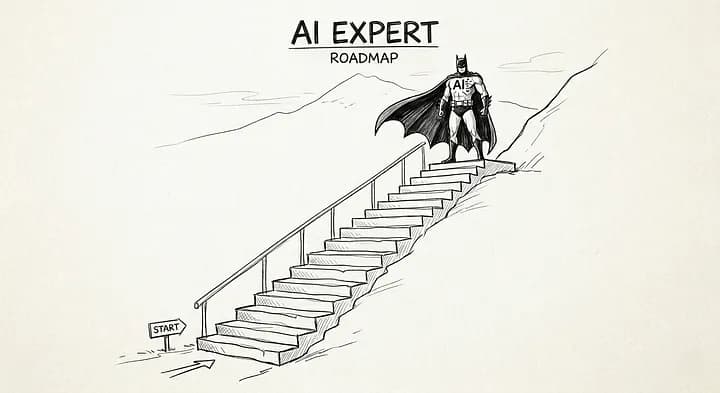
The Minimalist Roadmap to become an AI Engineer! (2026)
A few years ago, being a “software engineer” mostly meant building CRUD apps, dashboards, REST APIs and maybe deploying a React frontend with a Node.js backend. Today? Developers are building AI agents that can browse the web, use tools, write code, summarize documents, automate workflows and even collaborate with other agents. The industry changed fast. And most developers are still confused about where to start. Some jump straight into machine learning theory. Others learn prompt engineering for a week and call themselves AI engineers. Both approaches usually fail in real-world development. If you want to become an actual AI engineer in 2026, you need a practical roadmap. Not just theory neither a hype. You need to understand how modern AI systems are actually built in production. This article breaks down the roadmap of becoming an AI Developer in 2026 step-by-step with minimal explanation of each concept, no fluff! Step 1 — Build a Minimal AI Foundation Most AI beginners skip this part. Huge mistake. The best AI engineers are usually great software engineers first. Because real-world AI systems are not just models. They are: APIs Databases Vector stores Queues Authentication systems Cloud infrastructure Frontend dashboards Agent workflows Pipelines If you can’t build scalable software, you’ll struggle to build scalable AI systems. Focus on learning: JavaScript/TypeScript or Python APIs Databases Authentication Cloud deployment Backend architecture Async workflows A common AI relevant tech stack today looks like this: Press enter or click to view image in full size Most companies hiring AI engineers are not hiring researchers. They are hiring developers who can integrate AI into products. Step 2 — Learn How LLMs Actually Work You do NOT need a PhD. But you must understand the fundamentals. Large Language Models are AI systems trained on massive amounts of text to predict and generate language. Tools like GPT-4, Claude and Gemini are all LLMs. They have different models that predict and retrieve content for you based on your prompts that you provide. In LLM’s we have some common terms that you need to understand: Tokens The text is broken into bite-sized chunks models can actually process. Embeddings Numbers that capture meaning. Context Windows How much text the model can “see” at once. For example, in ChatGPT you see how it remembers your last question. Inference The moment the model actually runs and produces output. Training is the study and inference is the exam. Hallucinations When the model confidently states something completely wrong. Fluency without accuracy. Temperature Controls randomness in outputs. Turn it up for creativity, down for precision or just leave it and complain about the results. Fine-tuning Taking a pretrained model and teaching it your specific domain. Like hiring a genius and giving them a week of onboarding. Vector Search Finding similar items by comparing mathematical representations that we talked about earlier aka Embeddings instead of words. This changes how you design systems. For example, beginners often send huge prompts to models without understanding token costs or context limitations. Experienced AI engineers optimize prompts, chunk data correctly and design retrieval pipelines efficiently. Step 3 — Learn RAG (Retrieval-Augmented Generation) RAG is everywhere right now. Most AI products are powered by it. For Example: -Chat with PDFs. -AI customer support. -Internal company knowledge bots. -Legal AI systems. -Medical search assistants. All RAG. The idea is simple: Instead of training a model on your data, you retrieve relevant information first and inject it into the prompt. RAG Architecture: Press enter or click to view image in full size This solves one massive problem: Hallucination. Your AI becomes grounded in actual data. A modern RAG stack often looks like: Press enter or click to view image in full size Step 4 — Learn AI Agents This is where things get really interesting. An LLM becomes far more powerful when it can use tools. That’s an AI agent. Instead of just answering questions, agents can browse websites, execute code, call APIs, send emails, use databases, automate workflows and interact with external systems. It’s like giving your LLM’s a hand and legs to perform actions not just tongue to answer questions. A basic agent loop looks like this: Press enter or click to view image in full size This is how modern autonomous systems work. Step 5 — Understand MCP (Model Context Protocol) MCP is becoming a major standard in AI infrastructure. Think of it as a universal bridge between AI models and external tools/services. Instead of manually wiring every integration differently, MCP standardizes communication. This matters because AI ecosystems are exploding. Companies want models connected to GitHub, Slack, Notion, Databases, Internal APIs, CRMs, Cloud systems etc MCP makes those integrations cleaner and more modular. If you’re building AI tooling in 2026, understanding MCP architecture is a huge advantage. A simplified MCP workflow: Press enter or click to view image in full size This creates reusable AI infrastructure instead of hardcoded agent logic. The developers learning MCP early are positioning themselves ahead of the curve. Step 6 — Learn Fine-Tuning the Right Way Most beginners misunderstand fine-tuning They think: “Fine-tuning makes the model smarter.” Not exactly. Fine-tuning is best for: consistent formatting domain-specific behavior tone adaptation classification tasks workflow specialization It is NOT usually the best solution for injecting constantly changing knowledge. That’s what RAG is for. A smart AI engineer knows when to use: prompting RAG fine-tuning agent workflows Fine-tuning also introduces: training costs evaluation complexity dataset quality challenges model drift risks In production systems, many companies avoid fine-tuning entirely unless necessary. But learning it is still important because enterprise AI systems increasingly use specialized models. Step 7 — Build Real AI Projects This is where most learning actually happens. Not courses. Projects. Build: AI SaaS apps document chat systems AI coding assistants automation agents AI CRM tools voice assistants meeting summarizers AI research tools Real projects teach: latency optimization prompt failures hallucinations scaling monitoring token costs user behavior That experience matters more than certifications. Your GitHub becomes your resume. And honestly, companies care far more about: “Can you build useful AI products?” Than: “Did you finish another AI course?” With that sit, I will come up with another awesome story like this! Follow for more AI tutorials and Roadmaps! Also, Support me by subscribing to my youtube channel CodeWithMasood and you can also buy me a cup of coffee here- https://buymeacoffee.com/codewithmasood
Continue reading...
A Complete Guide to LLMs, AI Workflows and Agents
A few years ago, most software followed strict rules. -You clicked a button. -A backend function ran. -A database returned data. -The app responded exactly how the developer programmed it. Then Large Language Models(LLM’S) showed up and changed the entire interaction model of software. Now software can reason, summarize, plan, search, write code, call APIs, and even decide what action to take next. But here’s the interesting part: Most people still confuse LLMs, AI workflows and AI agents as the same thing. They’re not. Understanding the difference is what separates “AI demo builders” from engineers building real AI systems. So let’s break this down properly, from the brain behind modern AI to fully autonomous agents running complex workflows. The Brain Behind Everything — What Is an LLM? An LLM (Large Language Model) is essentially a prediction engine trained on massive amounts of text. Its core job is surprisingly simple: Predict the next token. That’s it. But at massive scale, this simple mechanism creates something that feels intelligent. Models like OpenAI GPT models, Anthropic Claude, and Google Gemini are trained on huge datasets containing books, code, websites, research papers, conversations, and documentation. During training, the model learns patterns like: How language works How code is structured How humans ask questions How reasoning chains are formed How information connects together That’s why modern LLMs can do things like: Explain algorithms Generate APIs Write SQL queries Translate languages Summarize PDFs Debug code Simulate reasoning But an LLM alone is still just a text engine. -It has no memory of your business. -No access to your database. -No live internet access by default. -No ability to execute actions. That’s where prompts, tools, workflows, and agents come in. Prompts, Context and Memory — How LLMs Are Guided An LLM without context is like an extremely smart intern dropped into a company with zero onboarding. Prompts are how we guide the model. A simple prompt: Explain JWT authentication. A better prompt: Explain JWT authentication to a junior Node.js developer. Include practical security mistakes developers make. Use simple examples. The second prompt gives: Role Audience Tone Constraints Output expectations This is why prompt engineering matters. But prompts alone are not enough for production systems. Modern AI systems also use: System prompts Retrieval systems Memory layers Conversation history Vector databases Knowledge injection For example, when building a customer support chatbot, you usually inject company-specific context: const context = await vectorDB.search(userQuestion) const response = await llm.generate({ system: "You are a support assistant for CWM Services.", context, user: question }) Now the model responds using business knowledge instead of generic internet knowledge. This is the foundation of RAG (Retrieval-Augmented Generation). AI Workflows — Turning LLMs Into Pipelines This is where things get practical. An AI workflow is basically multiple AI or software steps chained together. Instead of one prompt → one answer, workflows create structured pipelines. Imagine building a YouTube content system. The workflow might look like this: User Topic ↓ Research Agent ↓ Outline Generator ↓ Script Writer ↓ SEO Optimizer ↓ Thumbnail Prompt Generator ↓ Publish Each step has a focused responsibility. This is important because LLMs perform better when tasks are broken into smaller specialized operations. In production systems, workflows often include: Validation steps Retry logic Human approval Data enrichment API calls Database reads/writes Queue systems Background workers A real Node.js workflow example: const summary = await summarizeArticle(article) const keywords = await extractKeywords(summary) const embedding = await createEmbedding(summary) await db.posts.insert({ summary, keywords, embedding }) This is no longer “chat AI.” This is AI-powered software architecture. Giving the LLM Hands — Third Party Tools Integration One of the biggest breakthroughs in modern AI systems is function calling. Without tools, an LLM can only generate text. With tools, it can interact with the real world. For example: Search the web Send emails Query databases Book meetings Generate images Execute code Control software Instead of hallucinating data, the model decides when to call a function. Example: const tools = [ { name: "getWeather", description: "Get weather by city" } ] User asks: What’s the weather in Karachi? The model responds: { "tool": "getWeather", "args": { "city": "Karachi" } } Your backend executes the function and returns real data. Now the model becomes an orchestrator instead of just a generator. This is the core idea behind modern AI assistants. When Does Something Become an Agent? This is where people get confused. Not every chatbot is an agent. An AI agent is usually defined by autonomy. An agent can: Decide what to do Choose tools Maintain state Plan multiple steps React to outcomes Continue until a goal is completed Instead of: Input → Output Agents operate more like: Goal → Plan → Action → Observation → Next Action That loop is what makes agents powerful. For example: Goal: “Find startup funding news and create a summary report.” An agent may: Search the web Open articles Extract data Compare findings Generate summaries Create a final report All automatically. Agent Architectures Explained Simply There are multiple agent designs, but a few dominate modern systems. ReAct Agents ReAct stands for: Reason + Act The agent alternates between thinking and acting. Example flow: Thought: I need recent Bitcoin data. Action: Search latest BTC price. Observation: BTC is trading at $77K. Thought: Now summarize market sentiment. This architecture is widely used because it feels natural and flexible. Planning Agents Planning agents think ahead before taking actions. Instead of reacting step-by-step, they create execution plans first. Example: 1. Gather data 2. Analyze competitors 3. Generate insights 4. Create presentation This improves long-horizon task reliability. Multi-Agent Systems This is where things become really interesting. Instead of one giant agent doing everything, you create specialized agents. Example: Research agent Coding agent Testing agent Documentation agent QA agent Each agent handles one responsibility. A coordinator agent manages them together. This architecture is becoming increasingly common in enterprise AI systems. Memory, State and Context One of the hardest problems in AI today is memory. Most LLMs are stateless by default. They forget everything outside their context window. But real-world agents need continuity. Imagine a coding agent working on a large application for several hours. It must remember: Project structure Previous decisions APIs used User preferences Failed attempts Pending tasks Modern systems solve this using: Vector databases Short-term memory buffers Persistent state stores Knowledge graphs File systems External databases This is why AI engineering today looks increasingly similar to distributed systems engineering. Because it is. Real-World AI Agents Already Exist AI agents are no longer futuristic demos. They’re already being used for: Customer support automation AI coding assistants Sales outreach Research automation Content pipelines Financial analysis DevOps operations Internal enterprise copilots Companies are integrating LLMs directly into business workflows instead of treating them as standalone chatbots. And developers are rapidly moving from: “Build a chatbot” to “Build autonomous AI systems.” That’s a massive shift. The Limits, Risks and What Comes Next Despite all the hype, AI agents still have serious limitations. They can: Hallucinate Lose context Make incorrect assumptions Loop endlessly Execute bad decisions Struggle with ambiguity This is why human oversight still matters. The future is probably not fully autonomous AI replacing developers. It’s more likely: Human + AI collaboration systems. Developers who understand: LLMs Retrieval systems Prompting Agent orchestration Tool integration Memory architectures will have a major advantage over developers who only know traditional backend systems. We are entering a world where software is no longer just deterministic logic. Software is becoming adaptive, reasoning-based, and increasingly autonomous. And honestly, we’re still in the early stages. The developers learning this stack today are probably building the foundations of the next generation of software. Follow for more tutorials and guides on AI & Web development. Also, do subscribe to my youtube channel CodeWithMasood, if you are interested in more engaging and to the point video form content like this. Moreover, you can show your support by buying me a cup of coffee/s here- https://buymeacoffee.com/codewithmasood
Continue reading...
Understanding RAG (Retrieval-Augmented Generation) Pipeline for real world projects
Large Language Models are impressive until you ask them something your business actually cares about. A support bot doesn’t know your internal policies. A coding assistant doesn’t know your private documentation. A chatbot can’t answer questions about files it has never seen. That is where RAG comes in. Retrieval Augmented Generation(RAG) gives LLMs access to external knowledge at runtime instead of relying only on what they learned during training. Think of it like this: A normal LLM answers from memory. A RAG system answers after checking notes first. That small difference changes everything. Why Normal LLMs Struggle LLMs are trained on massive datasets, but they have limitations: They do not know your private data Their knowledge becomes outdated They hallucinate when information is missing Retraining models is expensive and slow Imagine building a company chatbot. A user asks: “What is our refund policy for enterprise clients?” A normal LLM might invent an answer. But a RAG system first searches the actual company documentation and then responds using real information. Instead of guessing, it retrieves. What RAG Actually Does At a high level, RAG works like this: User Question > Convert Question Into Embedding > Search Similar Documents > Retrieve Relevant Context > Send Context to LLM > Generate Final Response Simple idea. Extremely powerful in practice. A Real-World Example: Imagine a SaaS company with: Internal documentation API references Support tickets Product guides You want users to ask questions naturally: “How do I reset API keys?” Instead of fine-tuning a model every time documentation changes, you: Store documents in a vector database Retrieve relevant chunks during queries Feed them into the LLM Now the chatbot responds using current documentation. That is RAG. Step 1: Understanding Embeddings- Embeddings sound complicated, but the idea is simple. An embedding is just a numerical representation of text. The AI converts sentences into arrays of numbers so similar meanings end up close together mathematically. For example: “How to reset password” “Forgot my password” These sentences may use different words, but embeddings place them near each other because the meaning is similar. You can think of embeddings as: Turning language into coordinates on a map. Creating Embeddings A minimal JavaScript example using the OpenAI API: import OpenAI from "openai"; const client = new OpenAI({ apiKey: process.env.OPENAI_API_KEY, }); const response = await client.embeddings.create({ model: "text-embedding-3-small", input: "How do I reset my password?", }); console.log(response.data[0].embedding); That embedding can now be stored and searched later. Step 2: Vector Databases Explained Simply Once you create embeddings, you need somewhere to store them. That is the job of a vector database. A vector database stores embeddings and helps find similar ones quickly. Popular options include: Pinecone Weaviate Chroma Qdrant Instead of searching by exact keywords, vector databases search by semantic meaning. So this works well: User asks: “How can I change my login credentials?” System retrieves: “Steps to reset account password” Even though the wording is different. Storing Vectors Tiny example using Chroma: from chrocmadb import Client client = Client() collection = client.create_collection("docs") collection.add( documents=["Reset password from settings page"], ids=["doc1"], embeddings=[[0.12, 0.98, 0.33]] ) In production, embeddings come directly from embedding models. Step 3: Similarity Search Now comes the important part. When the user asks a question: Convert the question into an embedding Search for similar embeddings Return the closest matches Example: results = collection.query( query_embeddings=[[0.11, 0.95, 0.30]], n_results=2 ) print(results) The database returns the most relevant document chunks. This is the “retrieval” part of Retrieval-Augmented Generation. Step 4: Inject Context Into the LLM Once relevant documents are retrieved, they are inserted into the prompt. Example flow: Question: “How do I reset my password?” Retrieved Context: “Users can reset passwords from the account settings page.” LLM Prompt: Answer the question using the context below… Now the LLM has actual information to work with. Instead of hallucinating, it responds using retrieved knowledge. A modern RAG system usually includes: LLM Tools: OpenAI Anthropic For Embeddings: OpenAI Embeddings, BGE, E5 Vector DB Pinecone, Weaviate, Qdrant, Mongodb Vector DB Frameworks: LangChain LlamaIndex Backend: Node.js, Python, FastAPI, Flask Conclusion- So, to conclude this is why RAG is so powerful, you can create a very rich context for your AI and this is how actually most of the AI Agents today are built. For more stories like this in AI and Web Development please subscribe my youtube channel CodeWithMasood and follow me here on medium. Also if you really enjoyed the article and wanna buy me a cup of coffee as thanks you can do it here- https://buymeacoffee.com/codewithmasood
Continue reading...
Become a Pro Web Developer in 90 Days
Whether you are looking to become a web developer in the future or you are already a web developer. In either case, this article is for you! In this article i will talk about 13 Essential Web Development Skills That Every Developer Should Know! These are the skills that will make you stand out in the world of web development. Image is taken from “CodeWithMasood” my YouTube Channel SKILL 01 — HTML5 So, the very first skill that you should be familiar with is HTML. Without html we cannot build any website. It is just like the building structure or backbone of any web application. Now there is a lot to learn in html and new things are coming frequently as well. So, to become a good developer you should know the most used concepts in html like, you should know how to work with tables, creating forms, unordered lists. Moreover, you should be using the modern semantic tags then using traditional divs to create a structure of your website. SKILL 02— CSS3 As HTML defines the structure of your webpage, CSS adds style and layout. It’s just like the interior decoration of your building. So, without CSS a website looks dull and boring. Now you don’t need to master each and every aspect of CSS because the fact is that CSS is very huge. As a web developer you need to understand how to layout elements on the web page using flexbox or grid, learn how positioning and box model works and that sit. You can also learn animations and transitions somehow. And that sit with only these few things in CSS you can create a descent website. Plus you could also learn some of the most popular CSS frameworks like, bootstrap and tailwind however, i love tailwind CSS because of it’s customization and control. On the otherhand websites built with bootstrap looks pretty similar. SKILL 03 — JavaScript Now, the next skill that you should focus a lot and that is far more important than html and css is JavaScript. JavaScript is the backbone of web development. It brings your web pages to life! It’s the programming language that enables interactivity, making your site dynamic and engaging. Every site on the planet earth uses JavaScript to handle events, make api requests, talk to servers, and creating dynamic applications etc. Now, again don’t go in to complete depth of JavaScript instead learn the most used concepts such as arrays, objects also learn modern JavaScript or es6 and dom manipulation. With this you would be able to create modern and dynamic web applications. SKILL 04 — React Now, html, CSS and JavaScript works perfectly fine for small applications. But if your app becomes complex and huge then it would be very difficult to handle it. So, here comes frontend frameworks or you can call them JavaScript frameworks. The most popular among them are react, angular and vue. Now these frameworks reduces the complexity and by using these frameworks we can build applications much faster and with less amount of code. So, that is why a lot of companies and individuals prefer these frameworks to create their own site. Now, here i recommend react. Because it is the most popular and beginner’s friendly among all. As a web developer you should definitely need to learn a frontend framework. SKILL 04 — Git/GitHub Now at some point you will need to collaborate with other developers or you need to save your code and share it with the world. Here git and github comes. Git allows you to track changes in your code, collaborate with others, and never lose your work. And then once you are ready you can push your code to GitHub and let people to give a star on your repository. So, learn the basic commands to deploy your code. Learn about branching and pull requests. And you are good to go. SKILL 05— Responsive Designing These days, your website must look great on all devices, from mobile phones to desktops. Responsive design ensures your site adapts beautifully to any screen size. So, to implement that you can use pure CSS as well as some advance CSS frameworks like, bootstrap and tailwind which we have already talked about earlier. SKILL 06 — Browser Developer Tools Now, as you know if you are doing plain JavaScript you don’t get any errors in your terminal also, with html and CSS you are stuck at why the design is not matching your expectations. I also faced this type of experiences in the past but with browser Developer Tools everything becomes very simple. It helps you inspect, debug, and optimize your code, making your development process more productive. SKILL 07 — SEO Now let say you have created a website but if it is not shown and indexed on Google Search results then how customers and users will find it. So, here SEO plays the key role. SEO helps optimizing your website to rank higher in search results, driving more organic traffic. So, for this you can learn and use basic meta tags in html, indexing your website on google analytics and by writing clean code that search engine likes. SKILL 08 — Web Security Now let’s say you have opened a shop and everything is going fine but you forget to lock it at night so, there is a high chance of robbery so, similarly Web security is crucial. You need to learn how to protect your site from hackers and ensure that sensitive data is kept safe. SKILL 09 — API Next you need to have a strong knowledge in APIs and how to talk to server using restful api’s. This allows your website to interact with external services and data. Learning api will open a new world of possibilities and app ideas. Currently chatgpt’s api is most used among different companies and individuals. SKILL 10— Performance Optimization As we know speed matters! So, we need to optimize our site for fast loading speed to provide our users a smooth experience. Now, this includes minifying your code, optimizing images used in an application and implementing lazy loading etc. So, always try to write clean and professional code. And learn these optimizing techniques. SKILL 11— Deployment Finally, learn how to take your website from your local machine to a live server, making it accessible to the world. So, just learn and familiar with domain and hosting setup and making your website ready for production. SKILL 12 — PWA Progressive web apps or pwas are very common these days. A website is no longer just a website if you take an example of freelancer.com they have created their pwa and it gets downloaded in phone as a real native mobile application with all the features from push notifications to offline display. So, to create a progressive app you need to understand service workers and basic functions that comes with service workers. So, understanding pwa’s will open a new world of opportunities for you. SKILL 13— Bonus Now, this is going to be the bonus tip from my side and that is keep learning. Because web development is an evolving field. Every day new technologies and tools are coming having ambition to change the way how things work. So, the most important skill of all is the ability to keep learning and adapting to new technologies. Conclusion So, we have reached at the end of our story and that sit! These were the 13 skills that will not only make you standout as a web developer but also helps you in getting your dream job. For more content like this follow me on YouTube and Instagram. If you have any queries or need any dev services contact me at cwmservicesofficial@gmail.com
Continue reading...
The Ultimate React Developer Roadmap for Beginners
Welcome to the ultimate react developer roadmap for beginners! In this single video i will cover the entire react developer roadmap from start to finish. So, if you want to become a successful react developer then read this article till the end. Now i have divided this article into three parts. In the first part we will cover the basics in which we will talk about what is react, How React works and How to get started with it. In the second part we will talk about some advanced concepts that needs to be learn in order to become a professional react developer and in this part you will also learn new skills that will help you create real world applications which also holds animations and other performance metric And finally the third part of this video is going to be a bonus tip on how to get a high paying frontend react developer job in a few days. So, i hope you are excited and let’s get started!! 1. BASICS- What is React? So to understand react let’s look at the plain old JavaScript. If i need to create a simple note taking app it would need me to write a lot of code with plain JavaScript. But with react the code can be reduced so much. So, react.js is created to make JavaScript easier to use. In other words just like we need a CSS framework like, bootstrap and tailwind to make CSS easier for us similarly react is a JavaScript library that makes JavaScript very easier to write and understand. So, the definition would be React is a frontend JavaScript library that is used to create beautiful and single page web applications. How React Works? Now, single page means that the app that is built with react doesn’t have the weird loading behavior at every click and navigation that most of the websites out there have, because in react we have only single html file and rest of the app is controlled by JavaScript. And the best part is that you don’t need to write JavaScript for the UI by your own instead in react we write jsx which stands for JavaScript extension which is basically JavaScript but is written like html. So, this approach in react makes it very easy to create complex applications in a very short period of time. The jsx is then understood by the browser because of babel which is a package that react uses and it simply converts the jsx back to plain JavaScript. And another huge advantage of react is that in react we use components to create an application. The entire react app is divided into different components and each component can have it’s own CSS and logic separately. In other words we can write html, CSS and JavaScript all in single JavaScript file. And now i hope now you understand why react components has .js extension. Finally to handle data change we use hooks in react. And to pass data between different components we use props. In React, hooks are functions that allow you to use state and other React features in functional components. useState is a commonly used hook for managing state within a component, allowing you to declare and update state variables. When state changes, React triggers a re-render of the component tree affected by the state update, and this changes the part of the UI that is using that state. So, this is how react works. State Management- Now, as the application becomes more complex, it is difficult to manage the overall state of an application. So, here we need some universal state management control that keeps the state of our entire application and for this there are two best options. First one is context api that comes with react itself and secondly we have redux. Now redux is the third part package which is very popular for state management these days. So, i recommend to learn both but use redux in complex applications. With combination of both react and redux you can create any type of web app you can imagine of. Styling (CSS)- Now, enough logic and let’s talk a little about CSS and styling so, in react you can use plain CSS and bootstrap as well but i recommend to learn tailwind CSS. It is the best alternative to pure CSS. Unlike bootstrap, in tailwind CSS you will have more control over the UI. Animations- Another great challenge you face in react is animations so, for animations you can use react spring. It is difficult to write animations in react. You can create animations somehow with CSS as well however react spring is specially designed to implement animations in react. Especially, you can use react spring to animate lists, menus and other important areas of your applications. Testing- For testing i recommend to learn react testing library and jest. In react, testing play an important role in checking the behavior of your react components. Why You Should Learn TypeScript For React? Finally, you can also learn typescript. Now, with the combination of react and typescript you can create applications that are less prone to errors. Typescript is same as JavaScript but with the help of typescript you can have more control over the components and also you can get early error checking in your editor without the need of visiting the browser again and again. Optimization and Performance Control- Another great skill to learn for a react developer is optimization and performance control and here it comes react virtualized. React Virtualized package is a powerful tool used to efficiently render large lists and tabular data in React applications. It provides components like List, Table, and Grid by applying virtualization techniques to optimize performance by rendering only the visible portion of the data. Why CRA is Dead? Best Alternatives To Learn! Recently it has been announced by the official react team that create react app is dead and is not supported further. However, note that create react app is just a build tool. And it doesn’t mean that react is dead instead react is evolving day by day in the form of next.js and react native. Now, In order to get started with react you have some options so, vite is the best alternative to CRA if you want to use pure react these days. However, it is recommended to use next.js which is basically a complete react framework that holds routing and other features out of the box. And it also holds some advanced features like server side rendering and static site generation as well. And the best part is that you will be using react which you already learned either with vite if you are starting right now and using cra if you have already learned. So, i recommend to explore vite first and learn react. Now once you are familiar with react and routing from the ground up then jump to next.js. And there are other paths for react as well, like if you want to learn mobile app development you can learn expo and trust me guys it only includes some ui libraries and other then that it is nothing but pure react. So, with react you have got so much opportunities. You can learn web development as well as mobile app development or learn both. So, i hope it make sense. Bonus- (Become a Job Ready Frontend React Developer in Few Days) Finally, in order to learn react and become a job ready frontend developer in few days you need two things first of all, you need to create projects and secondly you have to put them in your portfolio. You can target blog, ecommerce and social media projects. So, i recommend creating a blog first because it is relatively easy as compared to ecommerce and social media apps. Now, it’s not necessary to create a fully functioning and complex application but, the tip here is that create an app with the core functionality. Which means that if you are creating an ecommerce app so, user should be able to atleast view the products, add items to cart and proceed with the payment. Similarly if you are creating a social media app so, at least user should be able to post images, videos and people should be able to chat with each other and that sit. So, once you have created some projects. Put them all in your portfolio and the portfolio itself should also need to be created. Then apply to jobs with your resume and the portfolio that you have created. And that sit in this way you will get your first react job in a few days. Conclusion- So, guys i hope you enjoyed this step by step roadmap on react! For more content related to web development and programming, make sure to follow me on YouTube, Facebook and Instagram. If you have any queries or need any dev services contact me at masood@codewithmasood
Continue reading...
Top 10 Must-Read Programming Books for Developers
If you’re a developer or aspiring to be one, reading programming books can be an excellent way to expand your knowledge and skills in the field. With so many books out there, it can be challenging to choose the right ones to add to your reading list. Here are our top 10 must-read programming books for developers: Press enter or click to view image in full size 1-Clean Code: A Handbook of Agile Software Craftsmanship by Robert C. Martin This book is a classic in the world of software development. It emphasizes the importance of writing clean, maintainable code and provides practical advice on how to achieve this. If you want to improve your code quality and become a better developer, this book is a must-read. Get the book (affiliate link): https://amzn.to/3Ikg76W 2-The Pragmatic Programmer: From Journeyman to Master by Andrew Hunt and David Thomas The Pragmatic Programmer is another classic book that has been recommended by developers for years. It covers various programming topics, including debugging, testing, and automation. The book is an excellent resource for developers of all levels, from beginners to seasoned professionals. Get the book (affiliate link): https://amzn.to/3XDAiC9 3-Code Complete: A Practical Handbook of Software Construction by Steve McConnell Code Complete is a comprehensive guide to writing high-quality software. The book covers everything from design principles to coding practices, and it offers practical advice that developers can apply in their daily work. If you’re looking to improve your coding skills and write more efficient code, this book is an excellent resource. Get the book (affiliate link): https://amzn.to/3YInPP7 4-The Mythical Man-Month: Essays on Software Engineering by Frederick P. Brooks Jr. The Mythical Man-Month is a classic in the field of software engineering. The book covers the challenges of managing large software projects and offers practical advice on how to overcome them. It’s a must-read for developers who work on complex software projects. Get the book (affiliate link): https://amzn.to/4103Fl4 5-The Art of Computer Programming, Volumes 1–4A Boxed Set by Donald E. Knuth If you’re looking for a comprehensive guide to computer programming, this set of book is a great choice. It covers topics such as algorithms, data structures, and programming languages. The book is a bit more advanced, but it’s an excellent resource for experienced developers who want to take their skills to the next level. Get the book (affiliate link): https://amzn.to/3EjuLdp 6-Head First Design Patterns by Eric Freeman and Elisabeth Robson If you’re interested in learning more about design patterns, this book is an excellent resource. It covers various design patterns and provides practical examples that developers can apply in their work. The book is well-written and easy to read, making it a great choice for beginners. Get the book (affiliate link): https://amzn.to/3SdHWlV 7-Effective Java by Joshua Bloch Effective Java is a must-read for Java developers. The book covers best practices for Java programming and provides practical tips for writing efficient and maintainable code. If you’re a Java developer, this book is an excellent resource to have in your library. Get the book (affiliate link): https://amzn.to/3Z59Zpw 8-Python Crash Course: A Hands-On, Project-Based Introduction to Programming by Eric Matthes If you’re just starting with Python, this book is a great choice. It provides a hands-on introduction to Python programming and covers various topics, including data structures, functions, and classes. The book is well-written and easy to follow, making it a great choice for beginners. Get the book (affiliate link): https://amzn.to/3xxj4Mg 9-The Psychology of Money by Morgan Housel This book has been getting a lot of buzz lately, and for a good reason. It’s a fascinating read that dives deep into the mindset and behavior of how we think about and manage money. I highly recommend “The Psychology of Money” to anyone who wants to improve their financial literacy and understand the psychology behind money management. Get the book (affiliate link): https://amzn.to/3lC9y7N 10-JavaScript: The Good Parts by Douglas Crockford JavaScript is one of the most popular programming languages in the world, and this book is a great resource for developers who want to learn the language’s best practices. The book covers the good parts of JavaScript and provides practical advice on how to write efficient and maintainable code. If you’re a JavaScript developer or want to learn the language, this book is an excellent resource to have in your library. Get the book (affiliate link): https://amzn.to/3S8mzSZ Conclusion- All of these programming books are highly recommended for developers who want to improve their skills and knowledge in the field. Each book provides unique insights and practical advice that developers can apply in their work. You can purchase these books on Amazon using the links provided. Happy reading and happy coding! I hope you have enjoyed this guide. Don’t forget to subscribe to our channel for more content related to programming and web development. Also, if you have any questions, let us know! For more quality blog posts and coding content. Show your support on Patreon. And do follow me on YouTube, Facebook and Instagram. Disclosure: Some of the links in this post are ‘affiliate links.’ This means if you click on the link and purchase the item, I will receive an affiliate commission. However, I only recommend products or services that I believe will add value to my readers.
Continue reading...
These 3 Projects Will Actually Get You Hired in 2026!
It was a time when there was a monopoly of Silicon Valley firms, FAANG and globally known tech companies only, but now things are changing, there are a lot of new tech giants in the market that were not there before such as, Anthropic, OpenAI and DeepSeek etc. And specially in the era of AI, now there is no more room for boring clones but this is the time to actually show up your skills around a product. Let me guide you in this article further, and i am writing this for beginner’s who want to know the art of how to get hired for a job and individuals who want to start an agency or personal brand to become successful. This also contains some tricks and tips that if you apply properly to your projects section, you will get guaranteed and insane results. If you don’t know incase, FAANG refers to Facebook, Apple, Amazon, Netflix and Google If you’re learning programming in 2026, you’ve probably built at least one Netflix clone, Spotify clone, ChatGPT clone or Amazon clone. This is very common, and we have this copy mindset which doesn’t allow us to build something of our own or something useful neither. Building clones will improve your programming skills and get you familiar with a real world software design somehow. So, what’s the problem then ? Well! Recruiters, clients and hiring managers have already seen hundreds of these portfolios. When every candidate shows the same projects, it’s almost impossible to stand out. Instead of asking yourself, “What can I clone next?”, ask a better question: “What can I build that solves a real problem?” That’s what companies actually pay for. Cloning applications is still a great way to learn. It teaches layouts, routing, authentication, state management, APIs and deployment. But once you have learned the fundamentals, start building products. Companies don’t hire developers because they can recreate an existing website. They hire developers because they can solve real problems. If you want recruiters to stop scrolling and actually click on your portfolio, build projects that have some real impact, that solves a real problem. Why a Project is Important ? A portfolio is the combination of many aspects such as, your resume, about, bio etc. But out of all, projects section or work section is the most important one, if we apply to any product-based companies, service-based companies, startups, fintech firms or even a direct client talk. For all of these, our projects are going to be important. Why is that? Because as a fresher, whenever we apply to any company, when we are targeting our first job, we have to prove to that company that we have practical skills so we can contribute inside the company right. But as a fresher, we don’t have any full-time work experience. Nor does any good recruiter or interviewer expect full-time work experience from us as a fresher. But in some way or another, we do have to give proof of work for our skills in our profile, and we give that proof of work in the form of internships and our projects. And especially in cases where we are applying for internships or where we are students who don’t have any prior internship experience, the importance of projects in our resume increases even more. So that’s why having good projects in a resume or portfolio is very important. Here are three projects that can genuinely separate you from thousands of other applicants. Before we start this list, first we need to understand that a good project has these three important qualities. Uniqueness Make sure the project is yours and self made, cuz again duplicate projects can be screened out by the recruiter eye easily. Domain Specific Project This is the best trick you can apply to get insane results right from the first job application, here what you do is basically you create and showcase projects relevant to the industry your company is into, for example, if you apply to an AI agency you can pick an AI project, and this will drastically increase your chance of getting hired by the AI company, Finance relevant application for a fintech company etc. Solving a Problem If you think about a real product or company, one thing is common, they care about users and solve real world problem associated with users, think about Amazon, Claude, OpenAI. So if you come up with a product that users can actually use and find helpful, you are already a head of many people who just build frontend applications or copy apps. Here are the 3 ideas i have for you based on modern trends, AI impact and industry standards that i think are worth noting. 1. Build an AI Agent If you think AI is just about integrating LLM to generate texts or images, you are just underestimating the real power of AI. There are ton of other opportunities you can explore with AI and once you understand few concepts in AI like context window, MCP, agents, fine tuning, workflows, RAG, you can create products of almost any kind. Think AI just like a brain and create other parts of the body to perform actions using third party integrations. For example, ChatGPT can just generate text against your query to latest upcoming events in your area but you can integrate google calendar to fetch the clean AI generated event details and add them to your calendar programmatically, this is just one simple example of using AI as an Agent. These days companies want developers who understand LLM’s (Claude Code), AI workflows, AI automation, RAG pipelines, MCP, Fine Tuning, Context etc. It is not just about integrating AI into applications but also using AI to done the job faster. So, to enhance your profile and to adopt AI properly, and even instead of creating another AI chat app, build an AI Agent that does perform a particular task better than before. For example, AI agents you always interact in your daily life, they are so valuable and solving real world problems like, GitHub Copilot, Cursor etc. They can integrate with vscode, read your code, make changes and managing context and holding their own set of skills. These are the real examples of a perfect AI Agent. You can also use same technique and apply to other parts of the tech like make content creation workflows etc. The opportunities are endless for a perfect project in this category. 2. Build a Full SaaS Product Most people build only frontend designs and call them projects, real products begin from a design or even they don’t require a design at first, a SaaS product enables you to think like a real engineer instead of just a frontend developer. Your project could include Database Design, Authentication, User roles, Dashboard, File uploads, Notifications, Real-Time, Background workers, Analytics, Admin panel, Subscription plans etc. Once you invest in learning these concepts and get something like this live, it feels closer to how real software teams work to achieve. And recruiters will be happy to onboard a person who already understands how a software features and tasks look like generally. Now, as i already explained this earlier, to start with this kind of project you need to start with small projects and gradually as you learn you will end up developing something like this with time, don’t use AI in the beginning of your career instead learn concepts and once you have built your first end to end application that includes frontend, backend and database after that you are good to go. Passion is also as important as work, if you have a passion you can easily achieve great heights in this career. 3. Build a Real-Time Collaborative Platform Think about GitHub, Slack, Zoho, these are just few examples of real-time collaboration platforms that exists in modern coding space and these are used by real software development companies in order to build teams, work together, meetings and manage their day to day tasks etc. The goal is not cloning a system, the goal is to create meaningful applications. And there is plenty of room in this niche. So, how about building a mini version of one by ourselves and add it to our portfolio, it will have a great positive impact on the minds of our recruiters right! Companies don’t need another social media clone. They need software that helps people work together. Think of a lightweight project management platform with features like, Task management, Real-time chat, File uploads, Notifications, Role-based permissions etc. Bonus Tips: The first is of course the same one i told you earlier that always try to build projects that solve real problems. Secondly, build fewer projects. Now, building fewer projects will let you build quality. I personally, have only 3 projects in my portfolio and you need to do same, don’t add many small projects to your projects section it looks odd and there is no time for people to go through all. Instead, add 3 quality projects that you want your recruiter to actually see and that demonstrates your expertise well. Now, my recommendation here will be as you experiment and learn, make sure create projects around every new concept you learn and course you take. With this a day will come where you will be having your 3 projects ready! Because good projects take time to build. In a nutshell, add your best projects in your portfolio and don’t try to put everything in portfolio keep it minimal and organized especially with the projects section. Mistakes to avoid Most People do this big mistake that they build everything through copy pasting from GitHub or using AI tools to create projects. This is the single big reason why you don’t get even an interview call after applying to thousands of job postings. Try to come up with your own impactful idea, then build solid architecture around it and after that gradually use AI to build few features, also you can create design by yourself for better. Another big mistake beginners make is only developing Frontend Apps. No Backend, Auth system, Subscription Handling, CI/CD etc. Now, this is where a lot of developers are filtered out as they are doing the job of AI. These days recruiters are looking for developers who are good at using AI agents to increase their output productivity, who knows system design and architecture building, server side programming, Git & GitHub, database handling, somehow DevOps stuff. In a nutshell, they want all this or infact some knowledge about these concepts from you before they actually assign you a specific role in a company, but for initial interview these are must. So, if you are applying for a software engineering job, you should know how full stack development works and how to build a full stack project from scratch. Here, i recommend build atleast one full stack application with Auth, CRUD, Roles, Tables all without using AI, once you complete this challenge you will be having a real project that you can showcase in your resume plus you will get the art of full stack development which you can now exercise to create more projects and eventually use AI to cut the time. Conclusion: So, to land a dream job, focus on creating clean, solid and valuable projects that solve real problems. These days recruiters and clients are looking for developers who can think through systems, design scalable applications and solve practical business problems. In early stages of your career you can build clones to learn, but once you build few copy cat projects, then move on and start building something simple, minimal yet has an high impact or value. You can build something that automates work, handles real users, processes live data or solves problems businesses actually face. And once you are done, showcase these projects in your portfolio, this is the kind of portfolio people remember. And this is how you can actually land a job in 2026. To conclude, -Master a Tech Stack you wanna get into. -Build basic projects and clones for practice. -Build full stack projects without using AI. -Try to build products not clones. -Build for real users. -Avoid copy-paste and weak projects. -Showcase only 3-4 strong Full Stack and deployed projects. That brings us to the end of today’s topic, i hope you enjoyed this article and find it helpful, for more valuable insights like this, do follow my account here on medium and if you like more tips and guides related to programming and web development you can also subscribe CodeWithMasood. Also, feel free to show your support by buying me a coffee here Thanks 🤍
Continue reading...